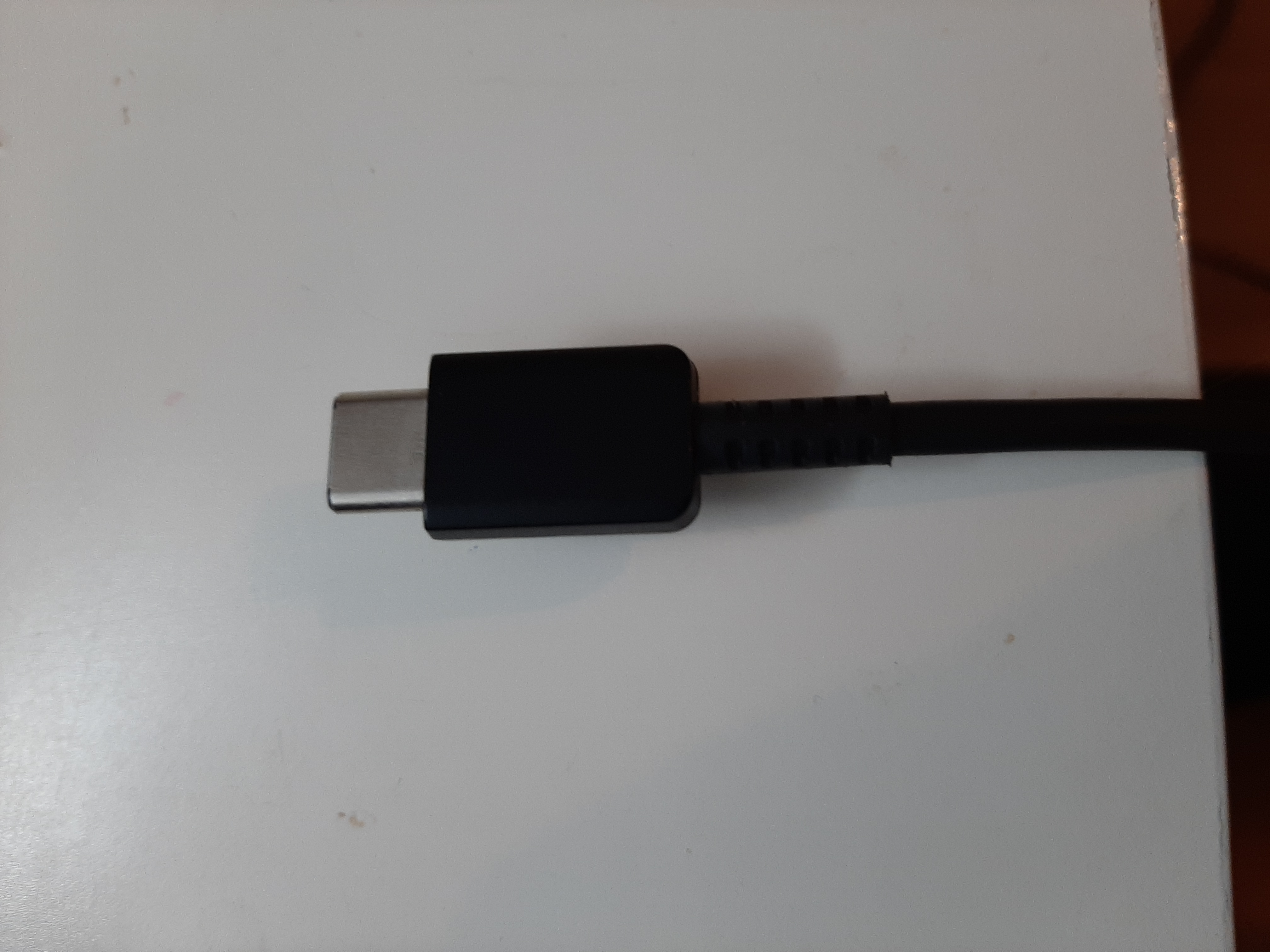
A USB-C plug close-up.
A USB-C plug close-up — the small reversible connector that now charges almost every phone, tablet, and laptop.
USB-C is the small oval connector that now charges almost every phone, tablet, and laptop sold today.
It replaced a drawer full of different plugs with one reversible port that handles charging, data, video, and audio.
The USB Type-C specification was published in August 2014, and the first devices with the new port appeared in 2015.
By 2026 the connector is effectively universal, helped by European Union rules that made it mandatory on phones and laptops.
This guide explains what USB-C is, how fast it can go, how much power it can deliver, and how to choose the right cable.
Key Highlights of USB-C
USB-C is a connector, not a speed. The same oval plug can carry slow USB 2.0 data or USB4 speeds, so the port shape alone tells you nothing about performance.
Speeds range from 480 Mbps to 80 Gbps. USB 2.0 tops out at 480 Mbps, USB 3.2 reaches 20 Gbps, and USB4 Version 2.0 can hit 80 Gbps both ways.
Charging can reach 240 watts. USB Power Delivery 3.1 supports up to 240 W, enough for large laptops, but only when the charger, cable, and device all support that level.
One cable can do almost everything. A full-featured USB-C cable can charge a laptop, move files, drive a 4K monitor, and carry audio through a single connection.
The European Union made USB-C mandatory. Phones and tablets sold in the EU have required a USB-C port since 28 December 2024, and laptops followed on 28 April 2026.
Not all USB-C cables are equal. Cheap cables may charge slowly and transfer data at USB 2.0 speeds, so always check the printed speed and wattage ratings before you buy.
What USB-C Is
USB-C, formally USB Type-C, is a 24-pin reversible connector designed by the USB Implementers Forum, known as USB-IF.
Reversible means there is no right way up, so the plug fits either way and ends the familiar struggle of flipping a cable three times.
The connector itself is small, measuring about 8.3 millimetres wide, and it is roughly the same size as the old Micro-USB plug it replaced.
One small oval plug now does the work of a whole drawer of cables.
Crucially, USB-C describes only the physical shape of the plug, not what travels through it, which is why two identical-looking cables can perform very differently.
The data speed, charging power, and video support depend on the standards the cable and the device implement, not on the connector alone.
USB4, released in 2019, was the first USB data standard that works only over USB-C, and it cemented the connector as the universal port.
USB-C vs USB-A and Micro-USB
USB-A is the large rectangular plug found on older chargers, flash drives, and computer ports, and it only fits one way up.
Micro-USB was the standard phone connector for years, but it is fragile, fits only one way, and tops out at slow charging and data speeds.
USB-C improves on both with a smaller reversible design, far higher power delivery, and support for video output and fast data transfer.
The old connectors still survive on many accessories, from keyboards to power banks, which is why a USB-A to USB-C cable remains a useful drawer staple.
When you replace a device, check which port it uses before ordering cables, because a Micro-USB cable will never fit a USB-C socket.
USB-C Speeds Explained
The most confusing part of USB-C is speed, because the same connector supports at least six different data standards with very different performance.
USB-IF now asks makers to label products by speed, such as USB 5Gbps or USB 80Gbps, instead of by confusing version names like USB 3.2 Gen 2x2.
| Standard | Top speed | Typical use |
|---|---|---|
| USB 2.0 | 480 Mbps | Charging cables, keyboards, mice |
| USB 3.2 Gen 1 | 5 Gbps | External drives, hubs |
| USB 3.2 Gen 2 | 10 Gbps | Fast SSDs, Pro iPhone transfers |
| USB 3.2 Gen 2x2 | 20 Gbps | High-speed external storage |
| USB4 | 40 Gbps | Docks, displays, fast storage |
| USB4 Version 2.0 | 80 Gbps (120 Gbps boost) | Dual 4K or 8K displays, pro docks |
| Thunderbolt 3 / 4 | 40 Gbps | Docks, displays, external GPUs |
| Thunderbolt 5 | 80 Gbps (120 Gbps boost) | Pro displays, high-end docks |
USB 2.0 is the slowest option at 480 Mbps, and it is still common in cheap cables and on standard iPhone models, where it limits large file transfers.
USB 3.2 comes in 5 Gbps, 10 Gbps, and 20 Gbps flavours, which is fast enough for external SSDs and for moving a full photo library in minutes.
USB4 starts at 20 Gbps and reaches 40 Gbps, while USB4 Version 2.0 doubles that to 80 Gbps, with an optional 120 Gbps mode for demanding displays.
Thunderbolt 3 and Thunderbolt 4 both run at 40 Gbps over USB-C, while Thunderbolt 5 guarantees 80 Gbps and supports the same 120 Gbps display boost.
In practice, the slowest link sets the pace, so a USB4 laptop with a USB 2.0 cable still transfers files at USB 2.0 speeds.
USB Power Delivery and Charging
USB Power Delivery, or USB PD, is the standard that lets a USB-C port negotiate voltage and current with the charger, instead of using a fixed 5 volts.
The original USB PD specification topped out at 100 watts, which already covered most laptops, while USB PD 3.1 added an Extended Power Range up to 240 watts.
That 240-watt ceiling uses 48 volts at 5 amps, and it requires a cable with an electronic marker chip that advertises the higher power capability.
Since December 2021, USB-IF has certified USB-C cables at only two power ratings, 60 watts and 240 watts, which makes shopping simpler than before.
Your device decides how much power it draws, so a 240-watt charger is safe for a phone that only needs 25 watts, and it simply charges at the lower rate.
Programmable Power Supply, or PPS, is an optional part of USB PD that fine-tunes voltage in small steps, and it powers the fastest charging on many Samsung phones.
How to Pick the Right USB-C Cable
Start with the job the cable must do, because a cable bought only for overnight charging does not need the speed or price of a full USB4 cable.
Read the printed ratings on the cable or its box, and look for the speed in gigabits per second and the power rating in watts before you pay.
For phones and tablets, a certified 60-watt cable with USB 2.0 or 5 Gbps data is usually enough, and it costs far less than a premium cable.
For laptops, docks, and external monitors, choose a 240-watt cable rated for 10 Gbps or more, and prefer one with the USB-IF certified logo.
Length matters too, because passive cables longer than about one metre often lose their top speed, while active cables with built-in signal boosters keep it.
Avoid unbranded bargain cables, since a badly made cable can charge slowly, drop its connection, or in rare cases damage a port, so buy from a known brand.
USB-C on iPhone and Android
Apple switched the iPhone to USB-C with the iPhone 15 series in 2023, ending more than a decade of the Lightning connector on its phones.
Standard iPhone 15 and iPhone 16 models transfer data at USB 2.0 speeds of 480 Mbps, while the Pro models reach USB 3.2 speeds of up to 10 Gbps.
The cable in the iPhone box only supports USB 2.0 speeds, so owners who want the faster Pro transfer rate need a separate USB 3 cable.
An iPhone 15 or later can also charge small accessories, such as AirPods or an Apple Watch, at up to 4.5 watts through its USB-C port.
Most Android phones have used USB-C for years, and many flagship models support fast USB 3 speeds plus high-wattage charging through USB PD or PPS.
The practical benefit is one charger for everything, since the same USB-C cable can top up a phone, a tablet, headphones, and often a laptop.
The EU Common Charger Rule
The European Union adopted Directive 2022/2380 in late 2022, requiring a common USB-C charging port on a wide range of rechargeable devices.
Phones, tablets, cameras, headphones, consoles, speakers, e-readers, keyboards, mice, navigation devices, and earbuds have needed USB-C since 28 December 2024.
Laptops joined the rule on 28 April 2026, which completed the first phase of the law and made USB-C the default port on new portable computers.
Devices that charge above 15 watts must also support USB Power Delivery, so fast charging works with any compliant charger rather than a brand-specific one.
The rule also lets buyers purchase a device without a charger in the box, which cuts electronic waste and ends the pile of spare chargers in every home.
Common USB-C Problems and Fixes
USB-C is reliable most of the time, but a loose fit, slow charging, or a dead data connection usually has a simple cause and an easy fix.
Loose cable that falls out. Lint packed inside the port is the usual culprit, so power the device off and clean the port gently with a wooden toothpick.
Slow charging. Check the charger wattage first, then the cable rating, because a 5-watt charger or a cheap cable caps the speed no matter what the phone supports.
Data transfer not working. Some cables are charging-only and carry no data wires, so try a known data cable and a different port before blaming the device.
Monitor not detected. Video output needs a full-featured cable and a port that supports DisplayPort Alt Mode, so check both the cable spec and the laptop manual.
Accessory not recognised. Restart the phone or laptop, update its software, and test the accessory on another device to find whether the cable or the port is at fault.
Frequently Asked Questions
Is USB-C the same as USB 3? No, USB-C is the shape of the connector, while USB 3 is a data standard that can run over USB-C or older plugs.
A USB-C port can run USB 2.0, USB 3.2, USB4, or Thunderbolt, so always check the speed rating rather than the connector shape.
Can any USB-C cable charge any USB-C device? Almost any USB-C cable will charge a device safely, because the device and charger negotiate a power level both can handle.
The difference is speed, since a low-rated cable may charge a laptop slowly or not at all, even though it works fine on a phone.
Do I need a 240W USB-C cable? Only if you charge a powerful laptop that draws more than 60 watts, since most phones and tablets charge well below that limit.
For phones, a certified 60-watt cable is enough, and it costs less while still supporting fast charging on most models.
Why is my USB-C cable so slow at transferring files? Many budget cables only support USB 2.0 speeds of 480 Mbps, which is fine for charging but slow for files.
Buy a cable rated for 10 Gbps or 20 Gbps if you move videos or photo libraries often, and test it with a fast external drive.
Can USB-C replace HDMI for my monitor? Yes, if your laptop port supports DisplayPort Alt Mode and your monitor accepts USB-C video input.
A single cable can then carry video, data, and charging at once, which keeps a desk tidy and frees the laptop charger for travel.
Is USB-C safe to use with any charger? Certified chargers and cables are safe, because USB Power Delivery negotiates voltage before any high power flows.
Avoid counterfeit chargers from unknown sellers, since poor build quality is the real risk, not the USB-C standard itself.
USB-C has quietly become the one port that does it all, and knowing the difference between a cheap charging cable and a full-speed USB4 cable saves money and frustration.
Check the speed and wattage printed on each cable you buy, keep one cable in your bag, and the same plug will serve your phone, laptop, and monitor for years.